The Google Business Profile Mistakes Quietly Costing You Calls
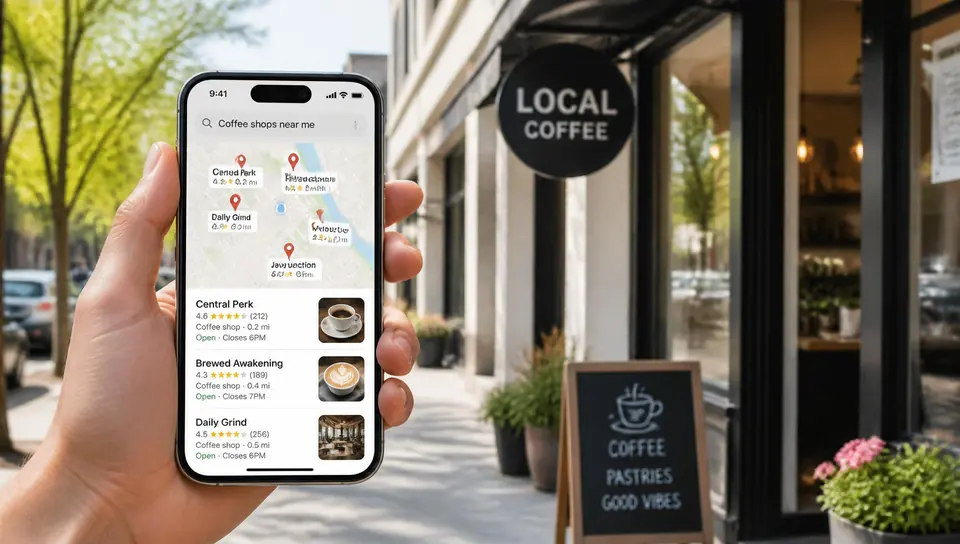
Your phone sits completely silent on a Tuesday morning. You know people in your zip code need what you sell right now, yet your competitor two streets over is booked three weeks out. It feels like shout-singing in an empty room while someone else walks away with the crowd.
Most business owners assume their Google profile works like a digital business card. You fill in your phone number, paste your address, upload a logo from four years ago, and wait for inbound calls. Then nothing happens. Or worse, the calls you used to get slowly taper off, and you have no idea who turned down the volume.
Google has changed how local rankings work, and artificial intelligence search engines have sped up the shift. When your profile has subtle blind spots, Google simply stops showing your pin on the map. Here is what is actually going wrong behind the scenes, and how to fix it without burning your week.
Why is your Google Business Profile not bringing in calls?
Direct answer: Most profiles stop generating calls because of conflicting categories, outdated service menus, and long stretches of inactivity that signal your business might be closed. Search algorithms and AI answer engines reward current, verified detail over old authority. Correcting foundational setup errors and answering real customer questions regularly will get your phone ringing again much faster than paying for more directory listings.
When Google evaluates who to show in the local three-pack, it looks for absolute confidence. If another local shop gives clearer signals about what they do and when they are available, Google picks them. You do not get penalized with an alert or an email. You just drop to position seven, where nobody ever scrolls.
The primary category trap
Your primary category carries more weight in local search than almost anything else on your dashboard. Yet many owners set it once during setup and never think about it again.
Say you run an independent auto repair shop. You handle everything from routine maintenance to custom engine rebuilds. When setting up your account, you quickly clicked "Auto Repair Shop" because it felt broad enough. Meanwhile, three miles away, a shop owner with three bays picked "Brake Shop" because brake jobs are their highest-margin work. When someone around the corner searches for squeaking brakes, Google gives the call to your competitor.
You can select up to nine secondary categories, but your primary choice tells the algorithm your core identity. If your primary category does not match the exact service that makes your register ring, you are forcing Google to guess. Review your primary category every six months to confirm it still mirrors your most profitable, searched-for offer.
Treating your service area like a wishlist
Many service providers believe that claiming a massive territory brings in more customers. Say you run a commercial pressure washing outfit. You might be tempted to list fifteen surrounding counties and every township within a sixty-mile radius.
Google sees through this immediately. When you tell the system you serve an impossibly large radius without physical staff or localized signals in those cities, your profile loses trust. The algorithm prefers relevance and proximity.
By stretching your boundaries too far, you dilute your authority right where you stand. You end up ranking nowhere instead of dominating the five neighborhoods closest to your shop. Keep your service area focused strictly on the zones you can realistically reach within forty-five minutes. You can build dedicated local landing pages on your website to catch neighboring towns, especially if you pair them with targeted local search engine optimization.
Leaving your services menu blank or generic
Google gives you an entire structured tab for services. Most businesses either leave it empty or type three vague words like "Consulting" or "Repairs."
This is a huge missed opportunity. When potential customers search for exact phrases, like "tankless water heater flush" or "emergency tooth extraction," Google scans your explicit service items to see if you offer that specific job. If you only wrote "Plumbing" or "Dentist," you will not trigger the search snippet that says: "Provides: Tankless water heater flush."
Take an hour to flesh out every service you provide. Add a clear, plain-English description to each item, along with pricing guidelines if your industry allows it. Doing this also feeds information directly into modern search bots. If you want to understand how engines use this data, check out our guide on AI search optimization.
The six-point profile audit you can run before lunch
You do not need an agency retainer to clean up your basic setup. Here is a clear checklist you can work through right now:
- Confirm your business name matches your real-world signage, legal documents, and website footer word for word, without stuffing extra keywords into the title.
- Review your primary category against your top three local competitors to make sure you are not competing in the wrong bucket.
- Add at least fifteen detailed services with short descriptions explaining what is included and who the service is for.
- Upload five real photos taken this month from your phone: your team, your equipment, your physical workspace, or your work truck.
- Answer every unanswered review from the past ninety days, using natural sentences that mention the specific city or service you handled.
- Populate the Google Q&A section by posting the top three questions customers ask you on the phone, then answering them from your owner profile.
Free Growth Snapshot
Want this applied to your business?
Tell us where you are and we'll send back the three highest-leverage moves for your situation - then book a 15-minute call to walk through them.
Forgetting that AI tools read your reviews
People used to believe review counts were just a social proof badge. More stars equaled more trust. Today, the words inside your reviews act as indexable search content for AI systems.
When an AI assistant recommends a vendor, it synthesizes customer feedback. If twenty customers write reviews that say, "They showed up on time and fixed my commercial freezer," the search engine marks you as a verified commercial refrigeration specialist. If all your reviews just say, "Great guy! 5 stars!" the algorithm learns nothing about your capabilities.
You cannot write your own reviews, but you can change how you ask for them. When you wrap up a project, ask clients to mention the specific problem you solved for them. You might send a short text: "Glad we could get your walk-in cooler running today! If you have two minutes, leaving a quick review mentioning what we fixed helps our small team a lot." Most happy clients are glad to be specific when you give them a gentle prompt.
The ghost-town problem: no updates or photos
Google wants to know your lights are still on. When a listing goes six months without a new photo, a single customer response, or an updated schedule, the algorithm assumes the business may be struggling or unattended.
You do not need to produce polished marketing graphics. In fact, slick stock photography often hurts credibility because consumers scroll right past it. Upload candid, raw photos taken from a smartphone. Show the freshly painted interior, the completed roof installation, or the kitchen prep line on a busy morning. These images contain genuine metadata that reinforces your daily activity.
Publishing a brief update once every two weeks also keeps your profile fresh. Mention an upcoming holiday schedule, a common seasonal problem your clients face, or a new piece of equipment you just bought. It takes five minutes, and it keeps your listing active in Google's indexing queue.
The bottom line
Your Google Business Profile is often the very first and only impression you make before someone decides to dial your number or call the next person down the list.
If you want a clear audit of your search presence and a map listing that actually rings, reach out and talk with us.
Frequently Asked Questions
How often should I update my Google Business Profile?
Aim to post a quick update or upload a new photo once every week or two. Regular activity signals to Google that your business is operating, responsive, and reliable.
Does adding keywords to my business name help me rank higher?
While it used to work, Google now actively penalizes or suspends accounts that stuff keywords into their business name. Keep your profile name identical to your legal name and storefront signage.
Can I remove bad reviews from my profile?
You cannot delete a review simply because it is negative. However, you can flag reviews that violate Google policies, such as spam, profanity, or reviews from competitors who never hired you.
Why did my listing suddenly drop out of the local map pack?
Sudden drops usually happen because of category conflicts, address verification flags, or algorithmic updates prioritizing competitors with fresher reviews and active profiles.
Make your business easier to find locally.
We can assess your local search presence, business information and location pages, then connect those improvements to a website built to turn local interest into inquiries.
Every project is 100% custom. No templates or one-size-fits-all packages.
Takes about 3 minutes • No obligation either way
About the author
Chris Sanford - Founder, Irrefutable Momentum
Chris Sanford is the founder of Irrefutable Momentum, an entrepreneur and marketer with more than a decade of hands-on experience across sales, marketing, branding, technology, automation, and business growth. His career includes more than $70 million in closed real estate sales before building Irrefutable Momentum to help businesses connect attention, conversion, follow-up, technology, and sales into one growth system.
Related Articles

Why Your Business Name Spelled Two Ways Can Hurt Your Rankings
Discover why spelling your business name two ways hurts Google rankings and AI visibility, plus how to fix fragmented entity signals across the web.
Service Area Pages That Rank Without Looking Like Spam
Build service area pages that dominate Google and AI search without looking like cheap spam. Learn how to rank nearby towns using authentic local utility.